


Join a board
1
Open your profile
Go to Ecosystems.
2
Add a company
You can hold up to ten ecosystems wherever you add them.
3
Check the hub
If that company runs a board, you join automatically and are ranked within minutes on its
Community tab.
Two kinds of board
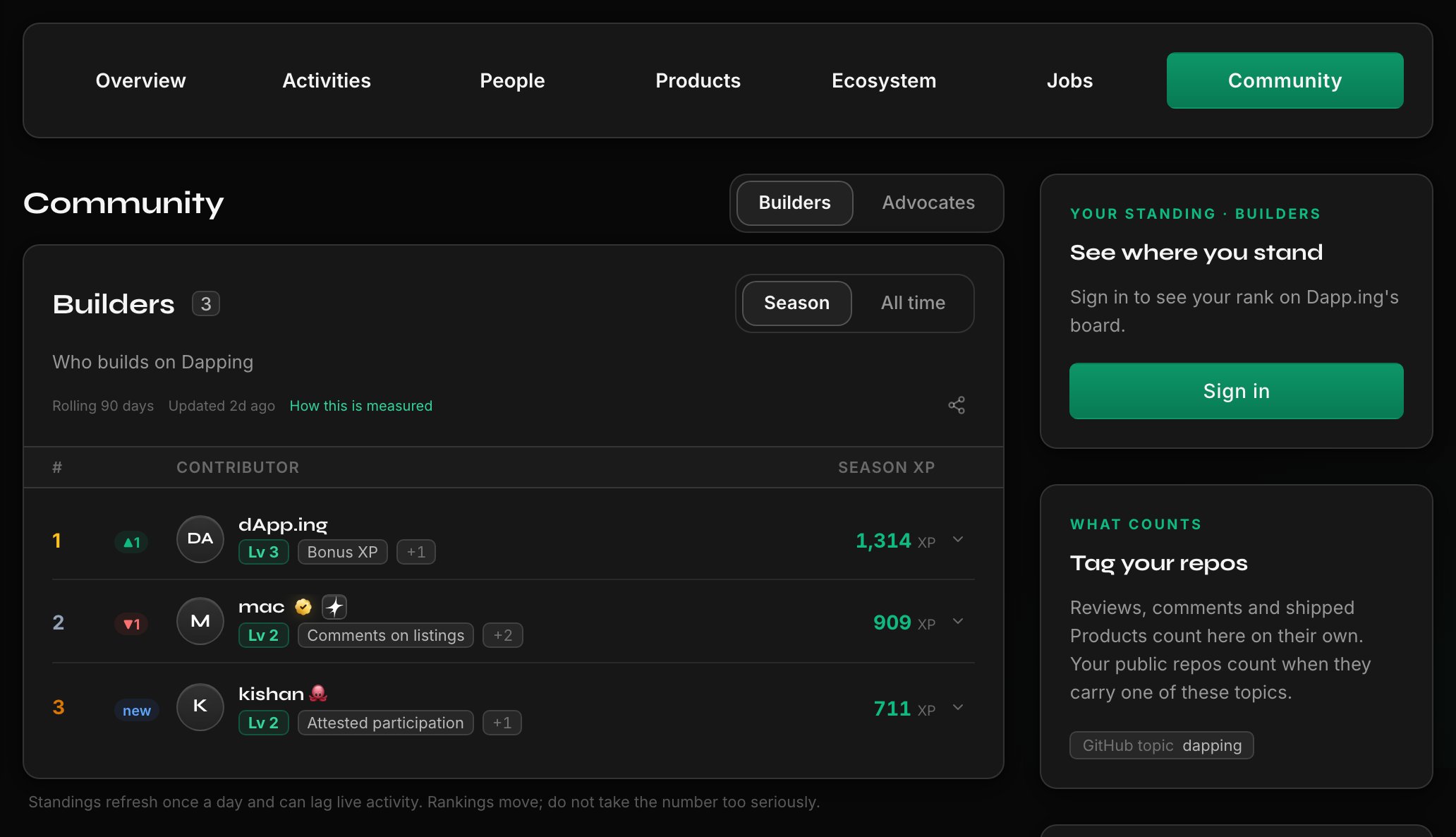
- Contributors measures what you built there: attested participation, credited projects, verified roles, and tenure, plus season engagement such as reviews, comments, upvotes, and repositories tagged with the board’s topic. A project that names the company as an ecosystem counts once people outside its team upvote or review it, and naming a company on a project does not join its board.
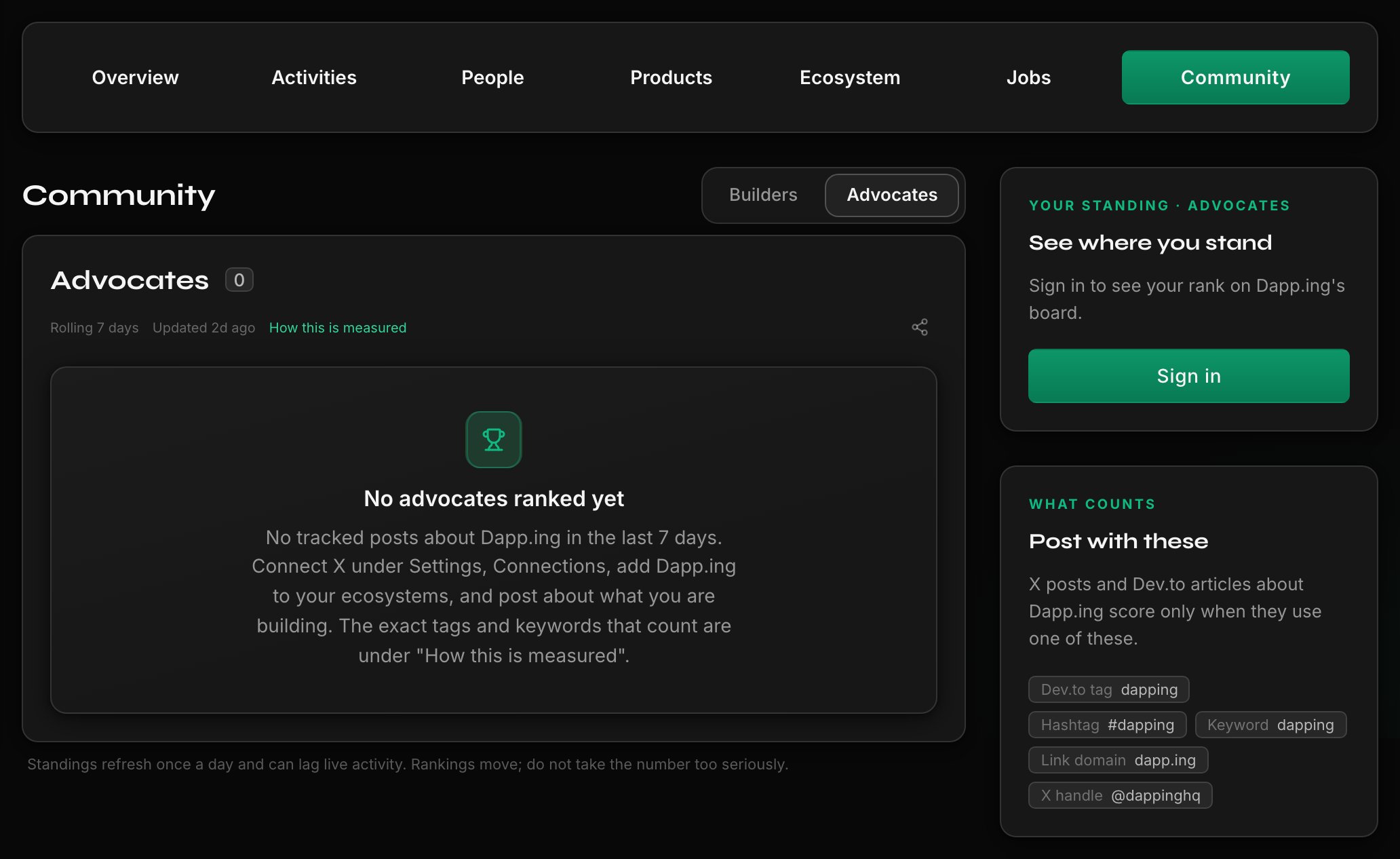
- Advocates measures what you published about it: recent X posts and Dev.to articles matching the board’s published terms.
Connect the account first
Sources are refreshed regularly, and only from X, Dev.to, and GitHub accounts you have connected and verified, so new work can take up to a day to appear.- Reposts and forks never count, and a repository counts only for the member whose GitHub login owns it.
- A match must be exact against a term the board lists.
- Real engagement matters on Advocates. The board weighs the response a post draws rather than raw counts, and engagement that looks manufactured is discounted. A reply needs your own words and engagement from others. A deleted post, or one edited to stop matching, stops counting.
XP, levels, and ranks
Signals earn XP, and each signal family is worth at most the XP the company set for it. Time never takes an all-time level back; a level falls only when XP is withdrawn, such as a revoked attestation. You are notified when you climb or level up. A season counts only work done inside it, so season standings start from zero and your all-time XP and level are untouched. In a fixed-date season the rules lock at the start and ties go to whoever got there first. Final standings stay on the board until the next season opens, and the all-time view keeps counting. Any prizes are the company’s own and run off Dapping.Who can move you
The company chooses what counts and publishes it. It cannot edit your score or reorder the board. Its one lever is bonus XP, granted or removed with a written reason, shown in your breakdown and notified to you; a removal only takes back XP it granted. Its owners and admins are marked Team, ranked by the same rules, and cannot attest their own team for board or Karma credit.Campaign XP and your attestation inbox
Campaign attestations land in your inbox. You choose whether each shows on your profile and can dispute a wrong one. Attestations feed the board and the Validation side of Karma; board XP never changes Karma.Step off a board
Open account settings, then Privacy, and turn off community board participation. You keep the ecosystem and every attestation; you just stop being ranked.Continue on Dapping
Choose your ecosystems
Open your profile to add the ecosystems you are part of and join their boards.
Related guides
Understand verification badges and Karma
Understand what profile badges, experience proof, endorsements, and Karma mean.
Search, filter, and browse ecosystem hubs
Find ecosystems, companies, and opportunities worth following.
Manage profile visibility, notifications, and digests
Choose what your profile shows and which notifications reach you.