


Two boards for two kinds of community
- Contributors ranks verifiable work: attested participation in your campaigns, credited projects, verified roles, and tenure, plus season engagement such as reviews, comments, upvotes, and tagged GitHub repositories. The all-time view never ages out.
- Advocates ranks recent visibility: posts on X and articles on Dev.to that match the terms you track, over a short rolling window.
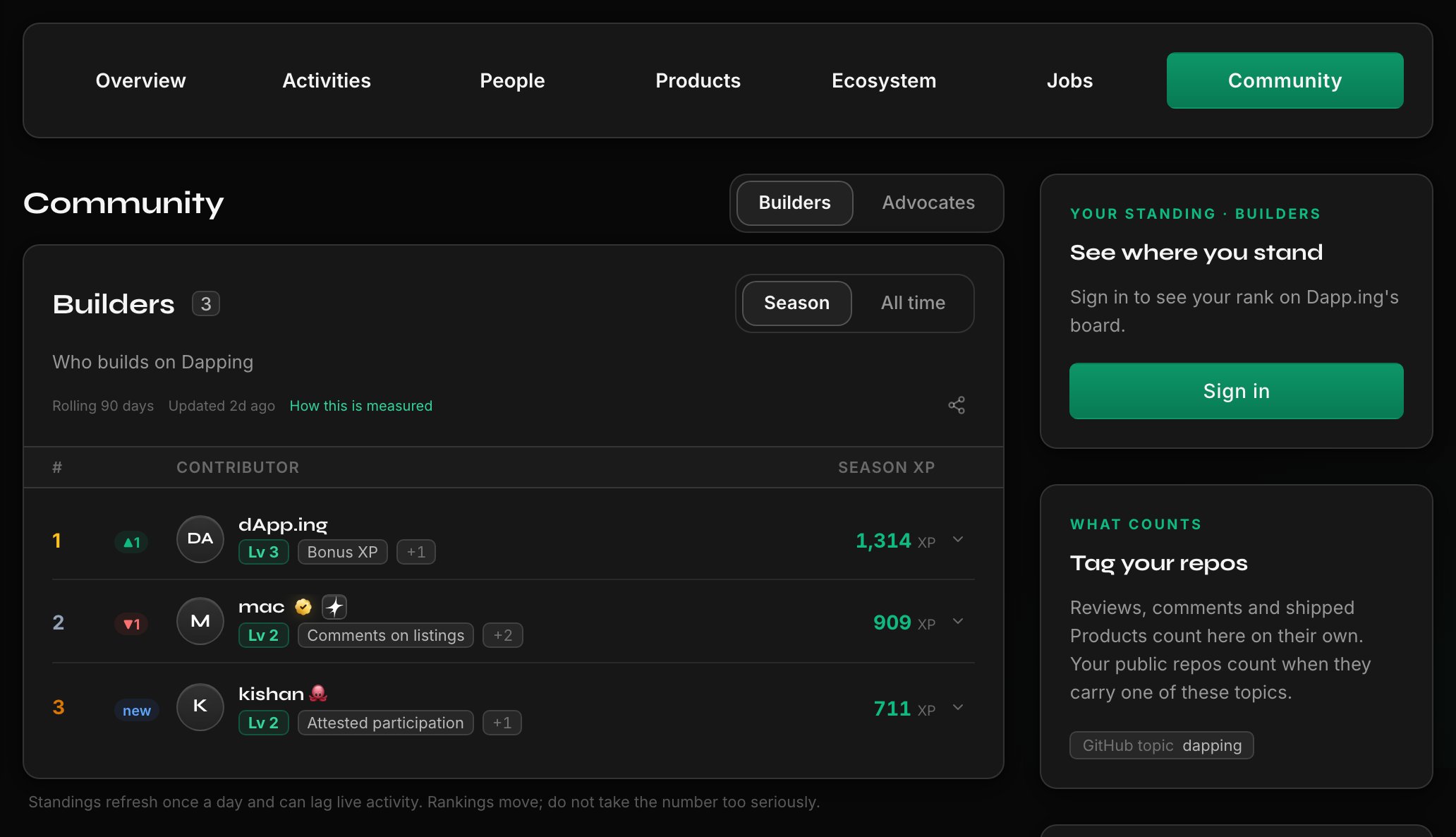
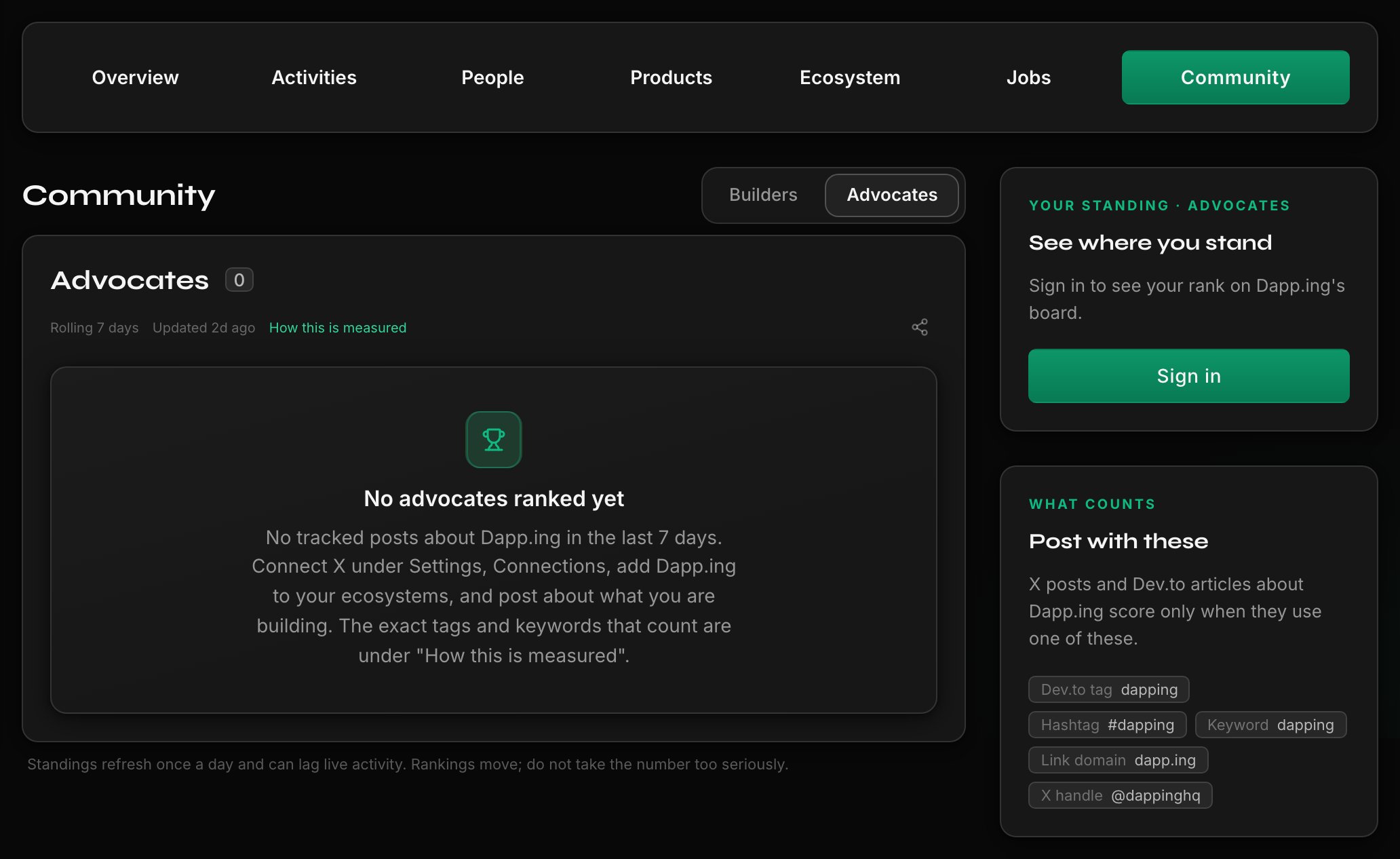
Set up a board
Owners and admins configure boards, and availability depends on your company’s plan. See pricing.1
Open Community Boards
Go to Company Hub → Community Boards as the company you manage.
2
Choose which boards run
Turn on Contributors, Advocates, or both, and name the board and its levels.
3
Set what counts
Pick which signal families count, the XP each is worth, your tracked terms, and whether members
without proof are kept out of the top places on Advocates.
4
Set the window and the floor
Choose the season window and its dates, plus the minimum account age.
5
Announce it
Add a campaign announcement link pointing at your own post. Prizes are yours to run off Dapping.
What the tracked terms reach
Only an account the member verified is read, and new work can take up to a day to appear. Reposts and forks never count, a repository counts only for the member whose login owns it, and every X match is re-checked against your exact term.
Advocates weighs the response a post draws rather than raw counts, and discounts engagement that looks manufactured. A reply counts only when it adds the member’s own words and draws engagement. A deleted post, or one edited to stop matching, stops counting.
What counts as a project
A project your company published counts for your board. A project that names you as an ecosystem counts once people outside its team upvote or review it, and naming you does not join its team to your board. The same test decides proof for the unproven ceiling and Karma.Fixed-date seasons
Your season window is either rolling or a set of fixed dates, chosen on the Contributors board. A fixed season cannot start in the past, and standings restart from zero on its start date: only work done inside it counts. All-time XP and levels are untouched, so nobody loses what they already earned. Its rules lock at the start, results freeze either when you end the season or shortly after its end date, and only members who joined before the end are ranked. Final standings stay on the board until you start another season or switch back to rolling, and the all-time view keeps counting throughout. Participation attestations with XP attached credit the board when you publish the batch.The same rules on every board
Scoring curves, level thresholds, and ranking order are identical on every board. No score can be edited and no ranking reordered by hand, and bonus XP is the only lever: always reasoned, public, and notified. Your owners and admins are marked Team and ranked like everyone else, and your company cannot attest its own team members, in any role, for board or Karma credit.Continue on Dapping
Open your company hub
Open Community Boards in your company hub to enable and configure your boards.
Related guides
Attest participation at scale
Credit whole campaigns onto the board through attestations.
Join community boards and understand XP, levels, and ranks
The board experience from your community members’ side.
What your money never buys
What a plan does and does not move, board standing included.